Image upscaler
Enlarge small images with 2x or 4x AI upscaling. Compare the result with your original, then download one image or a batch of up to 20 with your filenames intact.
5 credits per image. 10 trial images with a new account.
Compare credit packs and monthly planSign in with your email to use it. New accounts get 50 free credits.
Sign inReal upscaling examples

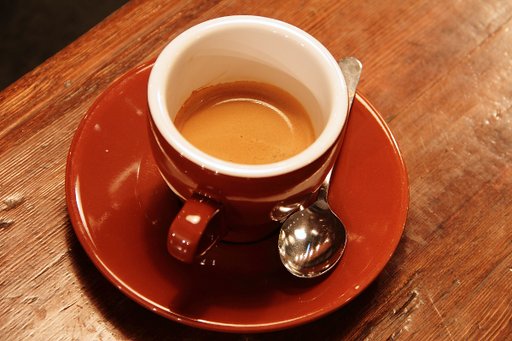 OriginalUpscaled
512 x 341 to 2048 x 1364. RealESRGAN, no face enhancement. Rachel Michetti / Pikolo Espresso Bar, CC0.
Give your next batch more room to shine
Enlarge images 2x or 4x, compare the results and download a batch with your filenames intact.
Start with 50 free credits when you sign in. No card required to try.
For your next project
$5 one time
500 credits. Top up whenever you need more.
No subscription required. Larger packs available.
Buy creditsFor work that keeps coming
25% more credits per dollar*$8 / month
1,000 credits each month.
Unused credits roll over up to 3,000. Cancel any time.
Choose monthly plan*Compared with the $5 credit pack.
Prices exclude sales tax or VAT, which is added at checkout where it applies.
How it works
- Sign in to receive your trial credits.
- Upload up to 20 JPG, PNG or WebP images and choose 2x or 4x.
- Review the price and start your batch.
- Compare the results and download individual images or a ZIP.
Questions
- How much does image upscaling cost?
- Each image costs 5 credits at either size. New accounts receive 50 credits, enough for 10 images. A $5 pack covers 100 images; the $8 monthly plan adds enough credits for 200 images if you spend them all here.
- Which images can I upload?
- Upload a still JPG, PNG or WebP up to 10 MB and 1,048,576 pixels, for example 1024 by 1024. Larger originals must be resized first. Downloads are WebP images; transparent backgrounds are preserved.
- Does AI upscaling recover every original detail?
- No. Upscaling estimates detail from the source image. Small text, faces and intricate patterns can change. Compare the result with your original before publishing or printing it.
- What happens if one image in my batch fails?
- Each image is processed and charged separately. Failed jobs receive an automatic credit refund. Successful images remain available to download individually or together in a ZIP.
- Are my photos stored?
- Uploads go to private storage and are deleted after processing. Fal processes the image; we disable request-payload retention and request deletion of its generated files after one hour. Results stay in your browser until you leave the page, so download them before closing it.